Office Equipment

Desktop and Laptop for the Office, Which is Better?

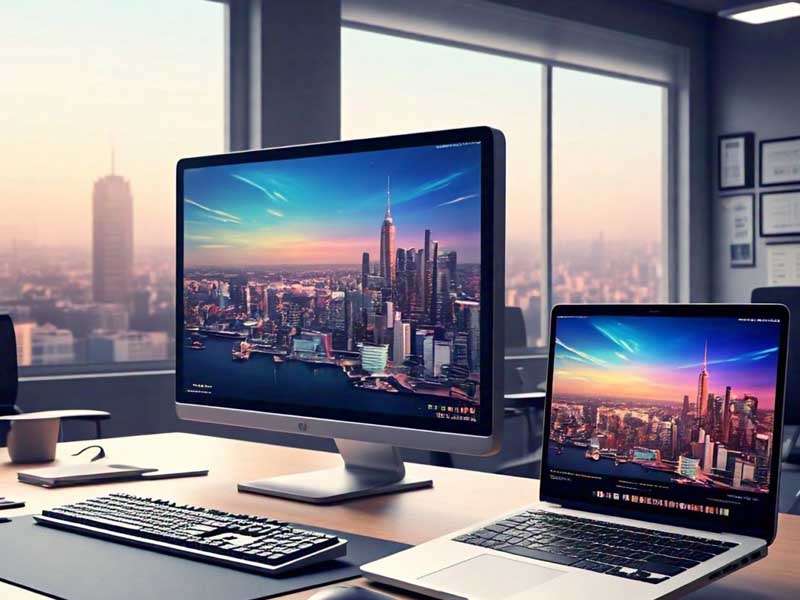
Eobdtool – Desktop and Laptop, When setting up an office, one of the most crucial decisions is choosing the right computer equipment. The debate between desktop computers and laptops has been ongoing for years, with both offering distinct advantages and disadvantages. The choice ultimately depends on the specific needs of the office and the tasks to be performed. In this article, we’ll explore the pros and cons of both desktops and laptops to help you make the best decision for your office setup.

Desktop Computers: Power and Customization at Your Fingertips

Desktop computers have long been the standard for office environments. They are known for their superior power, larger storage capabilities, and ability to be customized to suit specific work requirements.

Advantages of Desktop Computers:

  • Performance and Speed: Desktops typically offer better performance compared to laptops, especially when it comes to processing power and graphics. This makes them ideal for tasks that require heavy computing power, such as graphic design, video editing, and complex data analysis.
  • Upgradeability: Desktops are highly customizable, allowing businesses to easily upgrade components such as RAM, storage, and graphics cards. This can help extend the lifespan of the computer, making it a more cost-effective long-term option.
  • Larger Screens: Desktops often come with larger, higher-resolution monitors that improve productivity, especially for tasks that involve multitasking or detailed visual work.

Disadvantages of Desktop Computers:

  • Lack of Portability: Desktops are fixed in one place, which means they are not ideal for employees who need to move around or work from different locations.
  • Space-Consuming: Desktops require more space, including a separate monitor, keyboard, and mouse, which can be an issue in offices with limited room.

Laptops: Flexibility and Portability for Modern Work Environments

Laptops have become increasingly popular in the workplace due to their portability and convenience. Whether you’re working from home, traveling, or attending meetings, a laptop can provide flexibility and ease of use.

Advantages of Laptops:

  • Portability: The biggest advantage of laptops is their portability. Employees can easily carry them to different locations, making them ideal for those who work remotely, attend meetings, or travel frequently.
  • Space-Saving: Laptops require far less space compared to desktops since everything is integrated into one device. This is beneficial for offices with limited desk space.
  • Energy Efficiency: Laptops tend to consume less power than desktop computers, which can lead to lower electricity costs, especially in businesses with a large number of devices.

“Garage Door Security Codes, Enhancing Your Home’s Protection”

Disadvantages of Laptops:

  • Limited Power and Performance: While modern laptops are powerful, they still can’t match the performance levels of desktops, especially for tasks that require heavy processing or high-end graphics.
  • Smaller Screens and Keyboards: Laptops come with smaller screens and keyboards, which may not be ideal for employees who need to work on detailed tasks or multitask extensively.

Which One is Best for Your Office?

The decision between a desktop and a laptop ultimately depends on the specific needs and nature of your work environment. Here are a few things to consider:

  • For Static Workstations and Power-Intensive Tasks: If your employees mainly stay at their desks and require high computing power, a desktop computer might be the better choice. It offers better performance, larger displays, and is easier to upgrade over time.
  • For Flexibility and Remote Work: If flexibility and the ability to work from anywhere are important, a laptop is the ideal choice. It’s perfect for employees who need to move between locations, travel for business, or work remotely.
  • For Hybrid Environments: Some modern offices are adopting a mix of both desktops and laptops, depending on the role of the employee. For instance, graphic designers may benefit from a powerful desktop, while sales teams or managers who travel frequently may prefer laptops for their mobility.

There’s no one-size-fits-all answer when it comes to choosing between desktops and laptops for the office. Both devices have their own set of strengths and drawbacks, so it’s important to assess your office’s needs, budget, and workflow before making a decision. Whether you opt for the power and upgradeability of a desktop or the flexibility and portability of a laptop, the right choice will depend on how your team works best.

“Spain’s Alcoholic Beverages, A Taste of Tradition”

admin

Recent Posts

5 Rekomendasi EOBD Tool untuk Tingkatkan Efisiensi Kerja Kantor

Eobd Tool - EOBD tool efisiensi kerja kini menjadi kebutuhan penting di berbagai kantor modern untuk mendukung produktivitas serta kelancaran…

3 days ago

5 Aksesori Komputer Wajib untuk Setup Kerja Ergonomis Kamu

Eobd Tool - setup kerja ergonomis wajib menjadi salah satu kunci utama dalam menciptakan lingkungan kerja yang nyaman dan efisien.…

2 weeks ago

Rumah Dijamin Aman Selama Mudik Lebaran Jika Miliki 7 Fitur Smart Home Ini

Eobd Tool - Fitur smart home aman menjadi solusi utama bagi pemilik rumah yang ingin memastikan keamanan saat mudik Lebaran.…

3 weeks ago

Tips Memilih Webcam Berkualitas untuk Video Conference yang Optimal

Eobd Tool – memilih webcam berkualitas video conference menjadi hal krusial untuk mendapatkan pengalaman komunikasi daring yang lancar dan profesional. Webcam…

4 weeks ago

Pemerintah Kabupaten Bengkulu Fokus Perbaikan Infrastruktur Jalan Desa untuk Mendukung Perekonomian Lokal

Eobd Tool – Pemerintah Kabupaten Bengkulu terus menggalakkan perbaikan infrastruktur jalan desa sebagai langkah strategis untuk meningkatkan aksesibilitas dan menunjang perkembangan…

1 month ago

Panduan Membeli Earbuds TWS Berkualitas dengan Harga Terjangkau

Eobd Tool – earbuds TWS berkualitas terjangkau semakin diminati karena mampu memberikan pengalaman audio nirkabel tanpa menguras anggaran. Dalam memilih earbuds,…

1 month ago
Zona IDNGGsekumpul faktaradar puncakinfo traffic idscarlotharlot1buycelebrexonlinebebimichaville bloghaberedhaveseatwill travelinspa kyotorippin kittentheblackmore groupthornville churchgarage doors and partsglobal health wiremclub worldshahid onlinestfrancis lucknowsustainability pioneersjohnhawk insunratedleegay lordamerican partysckhaleej timesjobsmidwest garagebuildersrobert draws5bloggerassistive technology partnerschamberlains of londonclubdelisameet muscatinenetprotozovisit marktwainlakebroomcorn johnnyscolor adoactioneobdtoolgrb projectimmovestingelvallegritalight housedenvermonika pandeypersonal cloudsscreemothe berkshiremallhorror yearbooksimpplertxcovidtestpafi kabupaten riauabcd eldescansogardamediaradio senda1680rumah jualindependent reportsultana royaldiyes internationalpasmarquekudakyividn play365nyatanyata faktatechby androidwxhbfmabgxmoron cafepitch warsgang flowkduntop tensthingsplay sourceinfolestanze cafearcadiadailyresilienceapacdiesel specialistsngocstipcasal delravalfast creasiteupstart crowthecomedyelmsleepjoshshearmedia970panas mediacapital personalcherry gamespilates pilacharleston marketreportdigiturk bulgariaorlando mayor2023daiphatthanh vietnamentertain oramakent academymiangotwilight moviepipemediaa7frmuurahaisetaffordablespace flightvilanobandheathledger centralkpopstarz smashingsalonliterario libroamericasolidly statedportugal protocoloorah saddiqimusshalfordvetworkthefree lancedeskapogee mgink bloommikay lacampinosgotham medicine34lowseoulyaboogiewoogie cafelewisoftmccuskercopuertoricohead linenewscentrum digitalasiasindonewsbolanewsdapurumamiindozonejakarta kerasjurnal mistispodhubgila promoseputar otomotifoxligaidnggidnppidnggarenaoxligaiaspweb designvrimsship